Self-hosted PBX for Ubuntu 24.04
A phone system that runs on your server
MonoPbx is a SIP PBX with its core written in Rust, rtpengine carrying the audio, a console in the browser and apps for iOS, Android and macOS. You install it with one command. The recordings, the call history and the config stay on your disk.
We built it because we wanted a PBX we could set up in an afternoon and still understand a year later.
7 days free, then a licence.
What is in the box
Every install gets every feature. There are no editions to compare and no add-ons to buy.
- Calls
SIP trunks and DIDs, a dial plan that turns what people dial into E.164, office hours, forwarding, transfer, park and pickup. The B2BUA is ours, written in Rust; rtpengine moves the audio.
SIP 5060 UDP/TCP · TLS 5061 · WSS /sip
Opus · G.722 · G.711 · G.729- Queues
Queues and ring groups, queue callbacks, wallboards and supervisor tools. Agents log in and out with a code from any phone.
*62 log in · *63 log out
- IVR and call flows
IVR menus with dial-by-extension and a prompt library: upload MP3, WAV or Ogg, or record the greeting in the browser. When a menu is not enough, draw the flow on a canvas, simulate a call and publish it as a new version.
- Voicemail and recording
Personal and shared mailboxes, voicemail to e-mail. Recording by rule or on demand, with consent announcements, pause, retention and legal hold. Recordings are encrypted on disk.
- Inbox
SMS, WhatsApp, Facebook Messenger, Telegram and a live-chat widget for your website arrive in one shared inbox. Team chat sits next to it.
- Desk phones
Provisioning by MAC address for Yealink, Grandstream, Cisco MPP, Fanvil, Snom, Poly and Htek, with line and BLF keys. Set DHCP option 66 once and new phones configure themselves.
https://<your host>/prov/
- Fax
Send a PDF from the web client. Incoming faxes arrive by e-mail.
- Reports
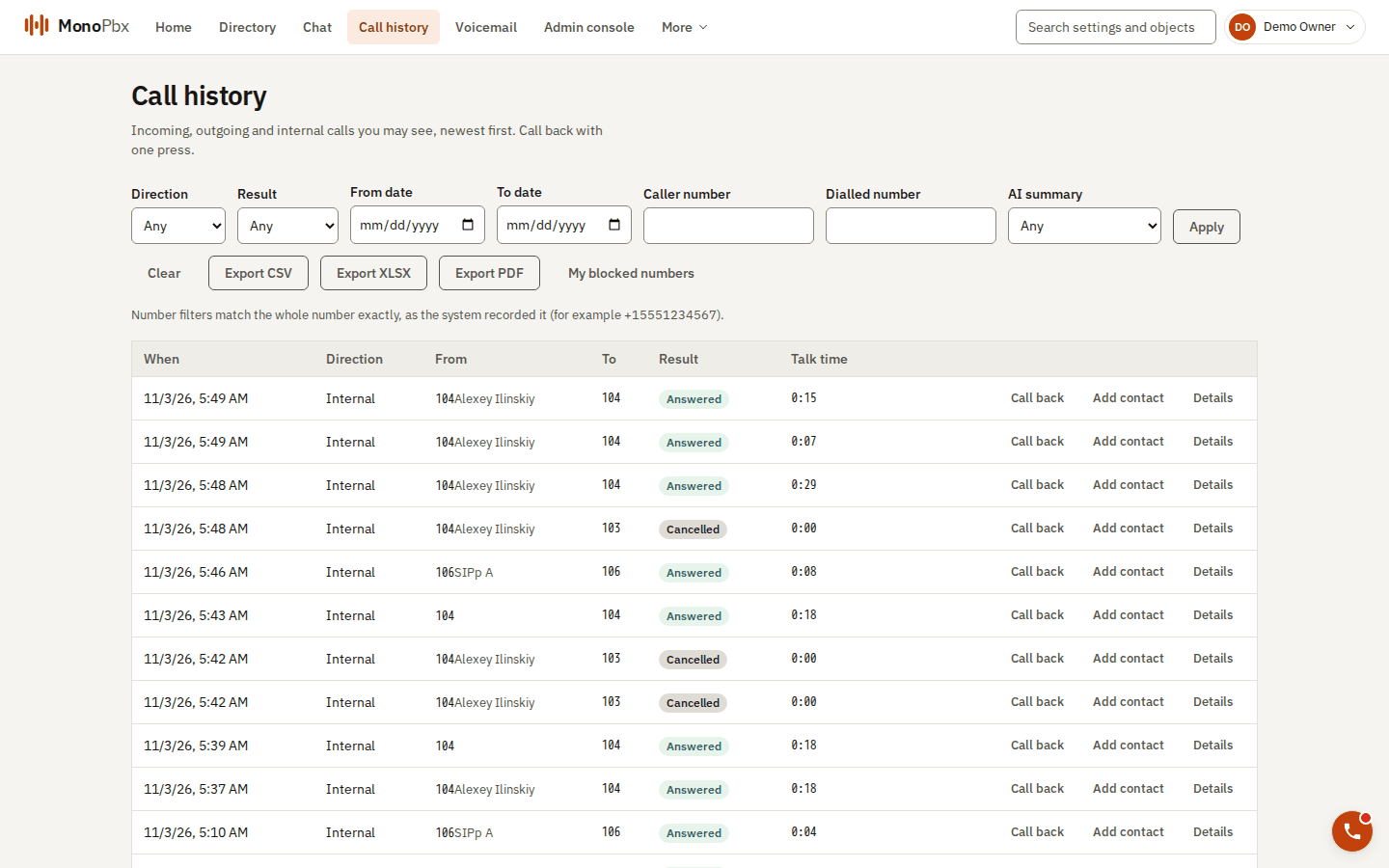
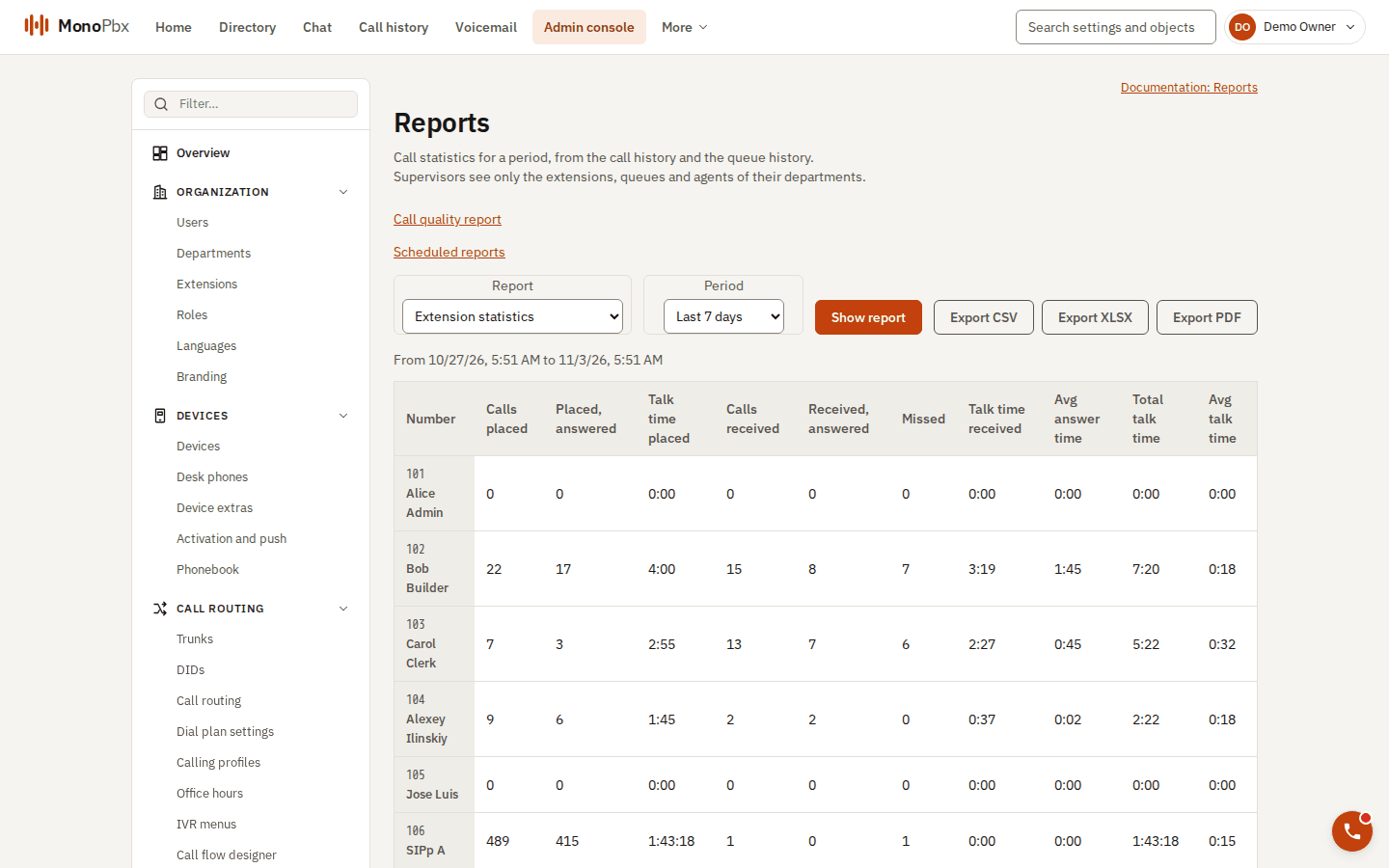
Call history and CDR in ClickHouse, queue and agent reports, export to CSV, XLSX and PDF. An audit log, and a change history you can revert a setting from.
- Several companies
One install can host many companies, each with its own users, numbers and settings, kept apart row by row in PostgreSQL.
- API
A REST API with an OpenAPI document, signed webhooks, an events WebSocket and an MCP server for AI tools.
- AI, if you want it
Off until a company turns it on. Voice agents as a step in a call flow, transcripts, call summaries and help for the agent during the call. You bring the key: Anthropic Claude by default, or any OpenAI-compatible API.
- Languages
The console and the apps speak English, Spanish (Mexico), Portuguese (Brazil), French, German, Italian, Russian, Chinese and Japanese.
Every short code is a setting
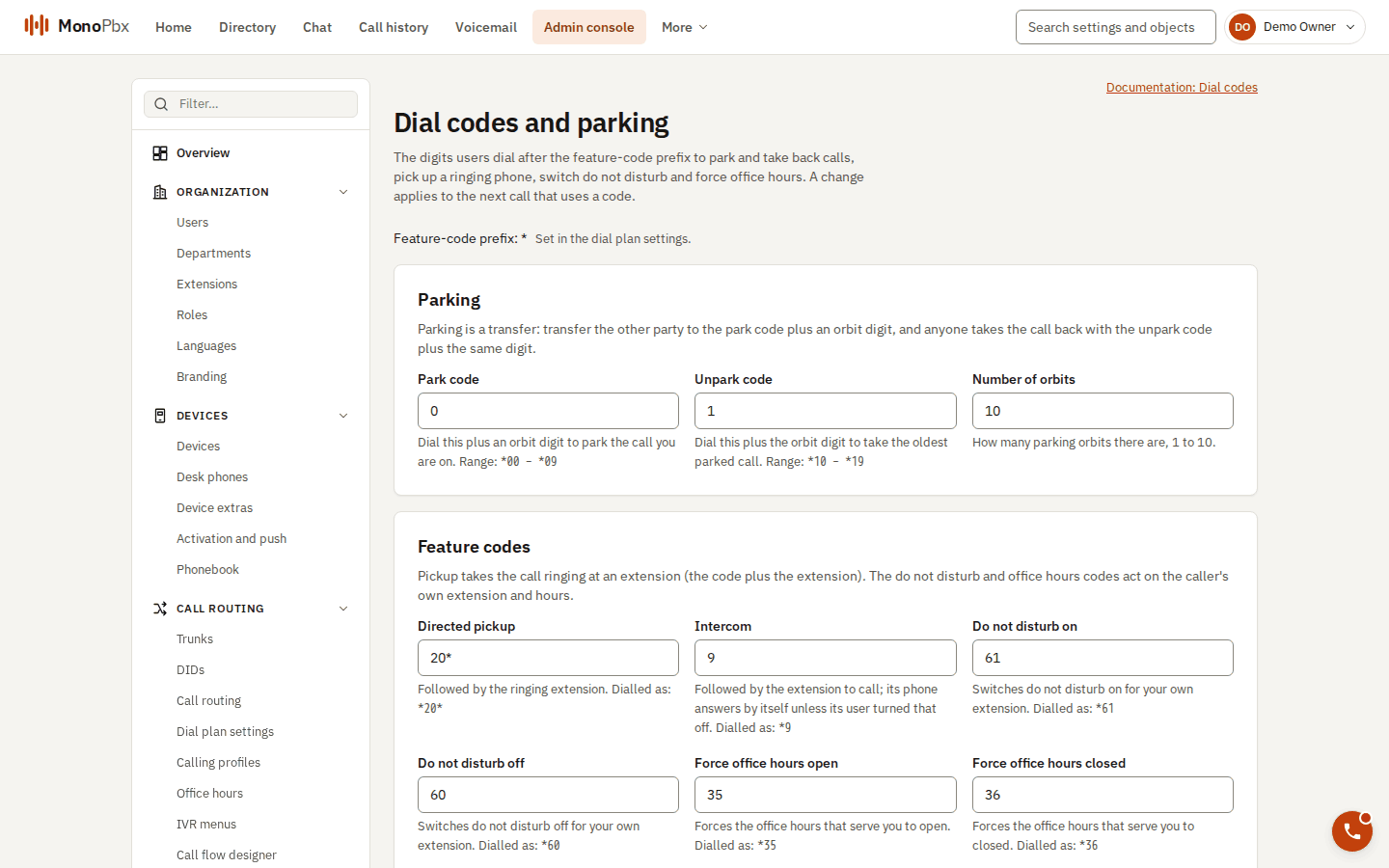
Feature codes start with * and have the defaults below. A company can change any of them on the Dial codes page; the change applies from the next call. The browser phone reads the company’s real codes.
| Dial | What happens |
|---|---|
| *00 … *09 | Park the call on slot 0 to 9 |
| *10 … *19 | Take the oldest call parked on that slot |
| *20*102 | Pick up the call ringing extension 102 |
| *61 / *60 | Do not disturb on / off |
| *86 | Your voicemail |
| *22 | Test call: the PBX hangs up and calls you back with music |
| *62 / *63 | Log in to / out of every queue you belong to |
| *35 / *36 | Force your office hours open / closed |
MonoPhone, on the phone people already carry
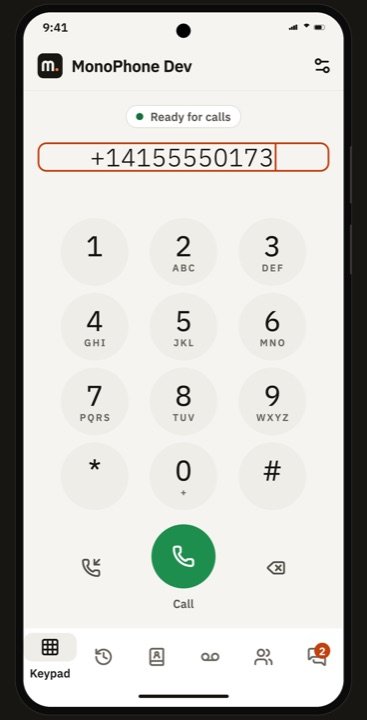
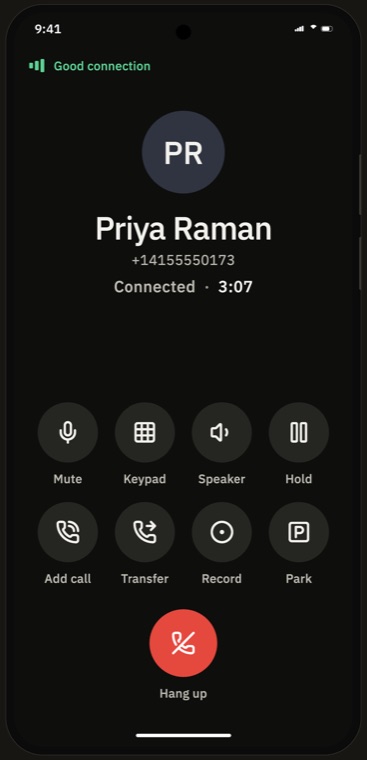
Native apps for iOS, Android and macOS, and a WebRTC softphone inside the web client for everyone else.
An incoming call wakes the phone through VoIP push on iOS and a high-priority message on Android, so the app does not have to stay open. People sign in by scanning a QR code from the web client. Nobody types a SIP password.
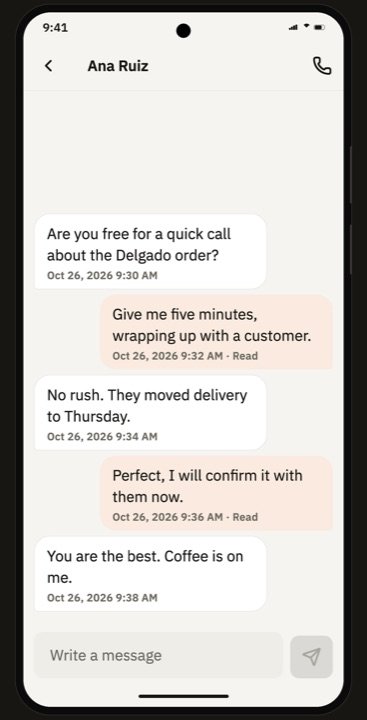
A call keeps going when the phone moves from Wi-Fi to mobile data. Hold, transfer, park, record, add a call, voicemail, presence and chat are all in the app. CarPlay and Android Auto work too.
iOS · Android · macOS · Browser (WebRTC) · CarPlay · Android Auto
Works with
Caller pop-ups, call logging and click-to-call for your CRM and help desk. Credentials are sealed with your company key and never shown again.
Today: HubSpot, Salesforce, Zoho CRM, Pipedrive, Odoo, Zendesk, Jira, any CRM with an HTTP API, Microsoft 365 and LDAP / Active Directory directories, OpenID Connect sign-on, Twilio or any HTTP SMS API, WhatsApp, Messenger, Telegram, webhooks, MCP.
In development, not released: Microsoft Teams, Kommo, Bitrix24, Zapier, Make, n8n, Freshdesk, ServiceNow, Slack, Shopify, WooCommerce, Mercado Libre, Stripe, Mercado Pago, SCIM, a browser extension.
Install
On a fresh Ubuntu 24.04 server with a public IP, run:
curl -fsSL https://ilinaya.github.io/monopbx-apt/install.sh | sudo bash
Setup asks for an e-mail address for the Let’s Encrypt certificate. Add your own domain too; without --domain the server is named <ip>.sslip.io:
curl -fsSL https://ilinaya.github.io/monopbx-apt/install.sh | sudo bash -s -- --domain pbx.example.com --email you@example.com
Then
- Open the console. The installer finishes by printing your console address and a one-time setup link. Lost it? sudo monopbx setup-url prints a new one.
- Create your account. E-mail, password, then a code from your authenticator app. This is the first administrator of your PBX.
- Your 7-day free trial starts. Everything is switched on. Add a SIP trunk, create extensions, and sign in to MonoPhone with the QR code.
curl -fsSL https://ilinaya.github.io/monopbx-apt/install.sh | sudo bash -s -- --domain pbx.example.com --email you@example.com
==> Prerequisites
==> MonoPbx APT repository: https://ilinaya.github.io/monopbx-apt
signing key verified: 320D C78E FDC8 439C 04F5 FCA6 3E87 FE3D 4C71 5372
==> Installing monopbx (with Ubuntu's docker.io and docker-compose-v2 unless Docker is already installed)
monopbx 0.1.0~edge
==> monopbx setup --domain pbx.example.com --email you@example.com
…
==> MonoPbx is ready
console: https://pbx.example.com
web softphone: wss://pbx.example.com/sip
SIP: pbx.example.com port 5060 (UDP/TCP), 5061 (TLS)
first admin: open the single-use setup link printed above (.../setup#token=...)
manage: monopbx status | logs | sudo monopbx backup | upgrade | uninstallRequirements
- System
- Ubuntu 24.04 LTS, amd64. Other systems are refused and nothing is changed.
- Machine
- 2 CPUs, 4 GB RAM, 20 GiB free under /var/lib
- Network
- A public IP. A DNS name is optional.
Ports
80/tcp | Certificate challenge, redirect to HTTPS |
|---|---|
443/tcp | Console, API, browser phone (wss://…/sip) |
5060 udp+tcp | SIP |
5061/tcp | SIP over TLS |
30000–40000/udp | RTP audio. Without it calls connect but nobody hears anything. |
If ufw is active, setup opens these ports. Open the same ones in your cloud firewall.
Not on Ubuntu? There is a Docker Compose bundle (also for arm64) and plain Kubernetes manifests with Kustomize. Docker Compose guide · Kubernetes guide · Full install guide
Pricing
You pay for simultaneous calls, not for users. Every tier has unlimited users and every feature: AI agents with your own key, the contact centre, the inbox, the apps and the integrations.
| Simultaneous calls | Per year (USD) |
|---|---|
| 4 | $199 |
| 8 | $249 |
| 16 | $499 |
| 32 | $899 |
| 64 | $1,599 |
| 128+ | Write to us |
- Calls between your own phones never count.
- Monthly billing costs about 20% more.
- Hosting several companies on one install: the same tiers, plus $5 per company per month.
- Every plan starts with a 7-day free trial after you install. You buy the licence in the console.
Priced by simultaneous calls, like 3CX, with every feature included.
Where your data lives
- On your disk
- Configuration, recordings, voicemail, chats and call history live in your PostgreSQL, your ClickHouse and your storage. Nothing passes through us to make a call.
- One exception: push
- To wake a phone for an incoming call, your server sends a notification through the MonoPbx push relay. Install with --no-relay and the apps ring only while they are open.
- Encrypted at rest
- Recordings and files are encrypted on disk by default. CRM and provider credentials are sealed with your company key.
- Sign-in
- Two-factor sign-in, OpenID Connect single sign-on and an IP allow-list for administrators.
- The SIP edge
- Geo blocking, allow and deny lists, automatic bans, and STIR/SHAKEN for caller ID.
- Backups
- Encrypted, on a schedule, and they restore onto a new host. sudo monopbx backup takes one now.
Questions
Is it ready for production?
The APT repository carries preview builds (0.1.0~edge) until we tag the first release. The docs say plainly what works today and what is still planned, page by page. Try it on a spare server first.
What happens after the 7 days?
You buy a licence in the console, sized by how many calls you need at the same time. Prices are in the Pricing section above.
Do I need my own domain?
No. Without --domain the server is named after its IP on sslip.io and still gets a real certificate. Use your own name when you have one.
How do upgrades work?
sudo apt-get upgrade. The package takes a pg_dump first, runs the migrations and a self-test, and rolls back on its own if the upgrade fails.
Which desk phones work?
There are provisioning templates for Yealink, Grandstream, Cisco MPP, Fanvil, Snom, Poly and Htek. Any standards-based SIP phone can register by hand.
Which AI providers can I use?
Anthropic Claude by default, or any API compatible with OpenAI chat completions. Each company brings its own key. AI is off until a company turns it on.